
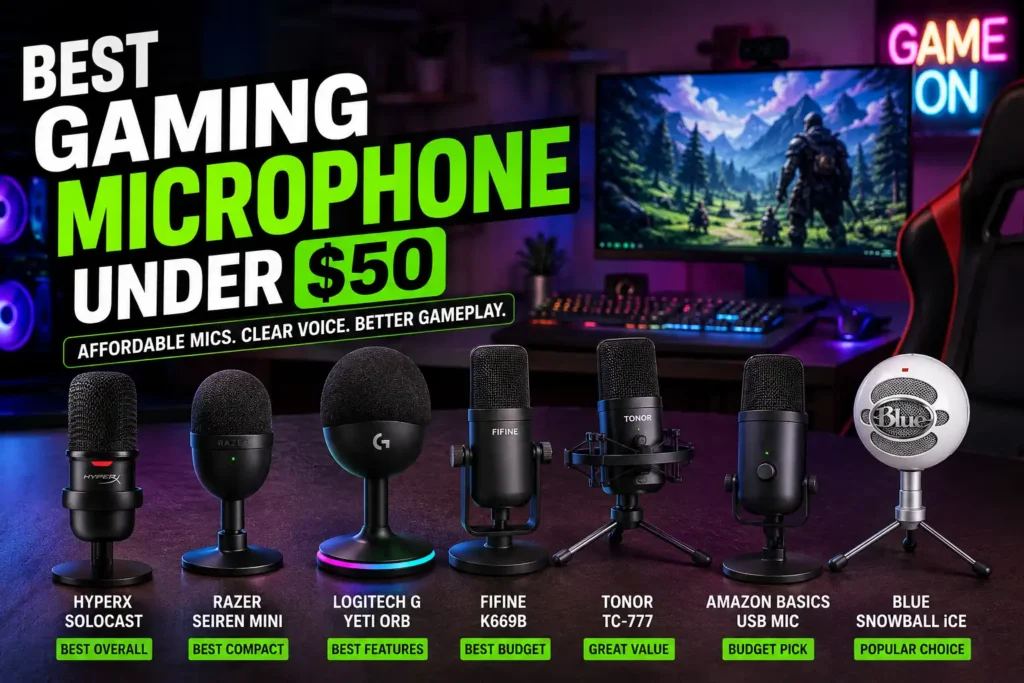
Best Gaming Microphone Under $50: Affordable Mics That Actually Sound Good
Have your teammates ever complained that your microphone sounds like you’re talking from the other side of the room? You’re not alone. Many gamers rely on built-in headset microphones that struggle to deliver clear voice communication, especially during competitive matches.
The good news is that finding the Best Gaming Microphone Under $50 no longer requires endless searching or a huge budget. Thanks to advances in USB microphone technology, today’s budget microphones offer impressive voice clarity, easy setup, and reliable performance at a fraction of the cost of premium models.
Whether you’re playing Valorant, Counter-Strike 2, Fortnite, Apex Legends, or chatting on Discord with friends, a dedicated gaming microphone can dramatically improve how others hear you. In many cases, a good budget microphone will outperform the microphone built into an expensive gaming headset.
In this guide, we’ll look at some of the most recommended gaming microphones under $50, explain their strengths and weaknesses, and help you choose the right microphone for your gaming setup.
Why Buy a Gaming Microphone Under $50?
Many gamers assume they need to spend $100 or more to get decent audio quality. While premium microphones certainly offer advantages, the reality is that budget microphones have improved dramatically over the last few years.
For Discord communication, multiplayer gaming, and casual streaming, many affordable microphones provide more than enough performance. The biggest improvement most gamers notice is voice clarity. Team members can hear callouts more clearly, conversations become easier, and streams sound more professional.
A budget microphone is also an excellent starting point for new content creators. Instead of investing heavily before knowing whether streaming or content creation is right for you, a low-cost microphone allows you to test the waters without taking a financial risk.
Most importantly, these microphones are simple to use. Many connect directly through USB, making them ideal for users looking for a Gaming Microphone for PC without additional equipment.
Quick Comparison Table
| Product | Best For | Connection Type | Key Strength | Overall Recommendation |
|---|---|---|---|---|
| HyperX SoloCast | Gaming & Streaming | USB | Excellent Value | Excellent |
| Razer Seiren Mini | Beginners | USB | Compact Design | Excellent |
| Logitech G Yeti Orb | RGB Setups | USB | Modern Features | Strong |
| FIFINE K669B | Budget Buyers | USB | Affordability | Strong |
| TONOR TC-777 | New Streamers | USB | Easy Setup | Strong |
| Blue Snowball iCE | Casual Use | USB | Trusted Brand | Popular |
| Amazon Basics USB Mic | Basic Voice Chat | USB | Low Cost | Budget Pick |
Top Gaming Microphones Under $50
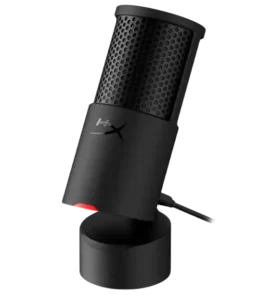
1. HyperX SoloCast

Best For
Gamers looking for the best overall value.
Key Strengths
The HyperX SoloCast is one of the most frequently recommended budget gaming microphones available today. It delivers impressive voice quality while maintaining a simple plug-and-play experience.
Setup takes only a few minutes, making it ideal for beginners who want better communication without dealing with complicated software or hardware.
For gaming, Discord, and casual streaming, the SoloCast provides a noticeable improvement over most headset microphones.
Potential Drawbacks
It lacks advanced customization features found on more expensive microphones.
Who Should Buy It
- PC gamers
- Discord users
- Beginner streamers
Who Should Avoid It
- Users seeking professional studio features
Check the latest price on Amazon before purchasing.
2. Razer Seiren Mini
Best For
Gamers with limited desk space.
Key Strengths
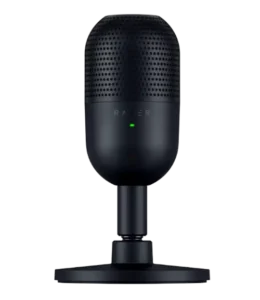
The Razer Seiren Mini has earned a strong reputation among budget-conscious gamers because of its compact size and reliable performance.
Despite its small footprint, it delivers clear voice communication that works well for multiplayer games, voice chat, and beginner streaming setups.
Its minimalist design also fits cleanly into modern gaming setups without taking up much room.
Potential Drawbacks
Limited controls compared to larger microphones.
Who Should Buy It
- Small desk setups
- Casual streamers
- Competitive gamers
Who Should Avoid It
- Users wanting extensive hardware controls
Read customer reviews on Amazon to compare user experiences.
3. Logitech G Yeti Orb
Best For
Gamers who want a modern gaming aesthetic.
Key Strengths
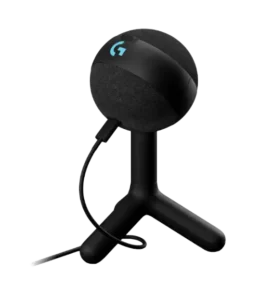
The Logitech G Yeti Orb combines gaming-focused design with user-friendly performance. It is particularly attractive to gamers who want their microphone to complement an RGB gaming setup.
Voice quality is more than sufficient for Discord, multiplayer communication, and casual streaming.
For gamers looking for a dedicated microphone without spending a fortune, it represents an appealing option.
Potential Drawbacks
May not provide the same brand recognition as some older microphone models.
Who Should Buy It
- RGB setup enthusiasts
- PC gamers
- Beginner creators
Who Should Avoid It
- Users prioritizing professional audio above aesthetics
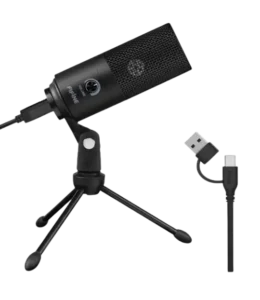
4. FIFINE K669B
Best For
Budget-focused buyers.
Key Strengths
The FIFINE K669B has become one of the most popular affordable USB microphones thanks to its low price and surprisingly good audio quality.
Many gamers and creators use this microphone as their first dedicated microphone because it offers strong value for money.
For voice chat, gaming, and beginner content creation, it consistently appears in budget microphone recommendations.
Potential Drawbacks
Build quality may feel less premium compared to higher-priced alternatives.
Who Should Buy It
- Budget-conscious gamers
- First-time microphone buyers
- Casual creators
Who Should Avoid It
- Users seeking premium build materials
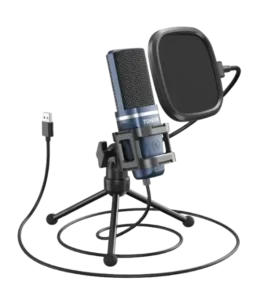
5. TONOR TC-777
Best For
Beginner streamers.
Key Strengths
The TONOR TC-777 is often recommended as an entry-level microphone because it balances affordability with ease of use.
The simple USB setup makes it accessible for users with no audio experience, while the sound quality is sufficient for gaming, Discord, and beginner streaming.
Potential Drawbacks
Performance may not satisfy advanced creators.
Who Should Buy It
- Beginners
- Students
- Casual gamers
Who Should Avoid It
- Professional content creators
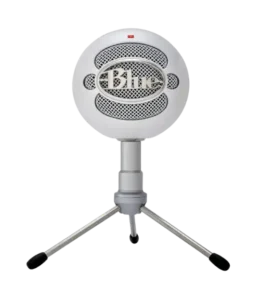
6. Blue Snowball iCE
Best For
Gamers who want a microphone from a well-known audio brand.
Key Strengths
The Blue Snowball iCE has been a popular entry-level microphone for years and continues to attract gamers, students, and beginner creators. Its simple design and easy setup make it approachable even for users with zero audio experience.
Many gamers choose the Snowball iCE because it offers noticeably better voice quality than most headset microphones. For Discord conversations, casual streaming, and multiplayer communication, it remains a solid budget-friendly option.
The microphone is also widely supported by tutorials, guides, and online communities, making troubleshooting easy for new users.
Potential Drawbacks
Its older design may not appeal to gamers looking for modern aesthetics or advanced features.
Who Should Buy It
- Casual gamers
- Students
- Beginner content creators
Who Should Avoid It
- Users seeking advanced microphone controls
- Serious streamers planning rapid upgrades
Compare this model with the HyperX SoloCast before making a final decision.
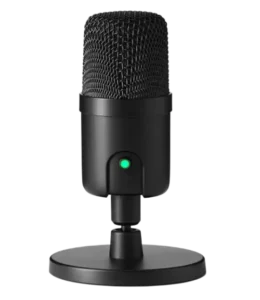
7. Amazon Basics USB Microphone
Best For
Users looking for the lowest-cost entry point.
Key Strengths
The Amazon Basics USB Microphone is aimed at users who simply want better voice quality than a built-in laptop or headset microphone.
Setup is straightforward, and for basic Discord communication, online meetings, and casual gaming, it can provide a noticeable improvement without requiring a large investment.
For gamers who are unsure whether they need a dedicated microphone, this type of entry-level model can serve as an affordable introduction.
Potential Drawbacks
Performance and features are generally more limited compared to gaming-focused alternatives.
Who Should Buy It
- Casual gamers
- First-time microphone buyers
- Users with extremely limited budgets
Who Should Avoid It
- Streamers
- Content creators
- Competitive gamers who prioritize voice quality
What to Expect at This Price Range
When shopping for the Best Gaming Microphone Under $50, it’s important to set realistic expectations.
Most microphones in this category will provide:
- USB connectivity
- Plug-and-play installation
- Good voice quality for gaming
- Compatibility with Discord and streaming software
- Simple controls
However, you may not receive:
- Premium build materials
- Advanced software suites
- Professional-grade audio processing
- Dual USB/XLR connectivity
The good news is that most gamers simply don’t need those premium features. For everyday gaming, communication quality matters far more than having a studio-grade setup.
Many users upgrading from a headset microphone are surprised by how dramatic the improvement can be, even when spending less than $50.
Best Budget Gaming Microphone vs Headset Microphone
One of the most common questions gamers ask is whether they should buy a dedicated microphone or continue using a headset microphone.
The answer depends on your goals.
Headset Microphone Advantages
- Convenient
- Portable
- Single device solution
- No extra desk space required
Headset Microphone Disadvantages
- Often lower voice quality
- Limited upgrade options
- More background noise
- Less professional sound
Dedicated Gaming Microphone Advantages
- Better voice clarity
- More natural sound
- Improved Discord communication
- Better streaming quality
- Greater flexibility
Dedicated Gaming Microphone Disadvantages
- Requires desk space
- Additional purchase
For gamers serious about communication, a dedicated microphone almost always provides a better experience.
This is especially true if you’re building a Gaming Microphone for PC setup focused on streaming, competitive gaming, or content creation.
Who Should Buy a Gaming Microphone Under $50?
Budget microphones are ideal for:
Casual Gamers
If you mostly play multiplayer games with friends, a budget microphone can dramatically improve communication without requiring a large investment.
Discord Users
Voice chat becomes much more enjoyable when teammates can hear you clearly.
Beginner Streamers
New creators can start building their audience before investing in more expensive equipment.
Students
A gaming microphone can also double as a microphone for online classes, meetings, and presentations.
Common Mistakes Budget Buyers Make
Many gamers waste money because they focus on marketing rather than practical performance.
Here are some mistakes to avoid:
Buying the Cheapest Option Available
A slightly better microphone often provides significantly better long-term value.
Ignoring User Reviews
Real-world feedback often reveals strengths and weaknesses that marketing materials don’t mention.
Prioritizing RGB Over Audio Quality
Lighting looks cool, but voice clarity matters more.
Expecting Studio Audio for $50
Budget microphones can sound excellent for gaming, but they shouldn’t be expected to compete with professional studio equipment.
Poor Microphone Placement
Positioning your microphone correctly can improve audio quality more than upgrading to a more expensive model.
How to Choose the Best Gaming Microphone Under $50
When comparing options, focus on:
Voice Clarity
Your teammates should understand every callout clearly.
Ease of Use
USB microphones remain the best choice for beginners.
Build Quality
A durable microphone can last for years.
Future Needs
If you plan to stream, choose a microphone capable of handling both gaming and content creation.
Community Feedback
User reviews often provide valuable insight into real-world performance.
Remember that the goal isn’t finding the cheapest microphone—it’s finding the best value.
FAQ
What is the best gaming microphone under $50?
Many gamers consider the HyperX SoloCast one of the strongest overall options because it combines excellent voice quality, simple setup, and strong value.
Is a budget gaming microphone better than a headset microphone?
In many cases, yes. Even affordable dedicated microphones often provide clearer and more natural voice quality than built-in headset microphones.
Can I stream with a microphone under $50?
Absolutely. Many beginner streamers start with microphones such as the HyperX SoloCast, Razer Seiren Mini, or TONOR TC-777.
What is the best gaming microphone for Discord?
The HyperX SoloCast and Razer Seiren Mini are popular choices because they offer clear voice communication and easy setup.
Do I need an audio interface for a budget gaming microphone?
No. Most microphones under $50 use USB connections and work directly with your PC.
Conclusion
Finding the Best Gaming Microphone Under $50 is easier than ever thanks to the growing number of affordable USB microphones avai moving away from a built-in headset microphone. Whether you’re chatting on Discord, streaming to a small audience, or competing in ranked matches, a dedicated microphone can make your voice clearer, more professional, and easier for teammates to understand.
If you’re building a budget-friendly Gaming Microphone for PC setup, starting with one of these affordable options is a smart investment that can improve both your gaming experience and your online presence.