
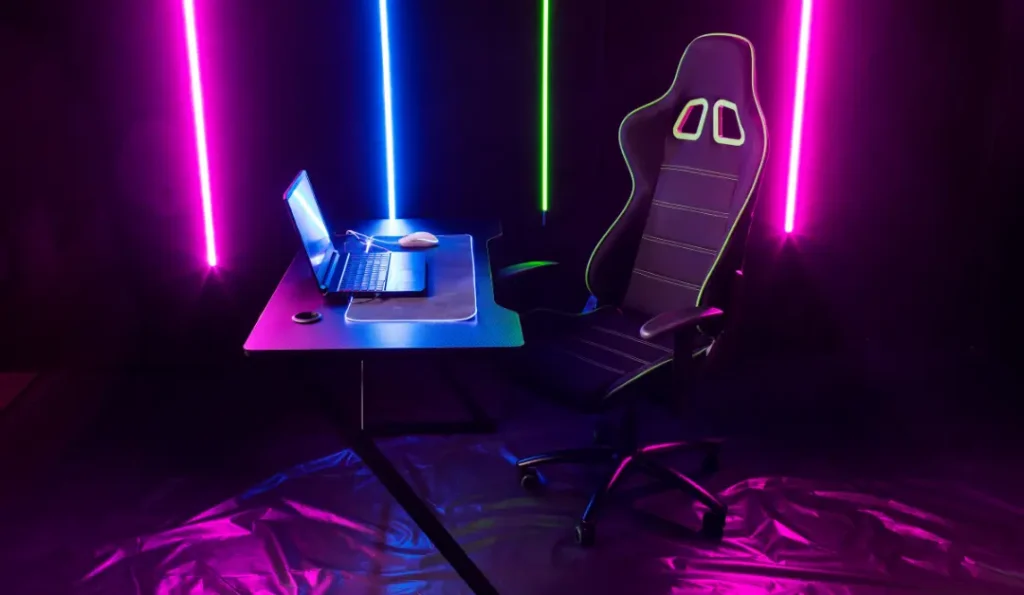
Staring at an empty desk — or a cluttered one you’ve outgrown — and not sure where to start? These gaming desk setup ideas cover every style, space, and budget, so you can find a direction that fits you and start building toward it. Before you commit, it’s worth reading our full gaming setup desk guide to nail the foundations, but if you just want inspiration, you’re in the right place.
We’ve grouped the ideas by vibe so you can jump straight to the look you’re after.
1. The Clean, Pro Setup
The clean setup is all about restraint: a neutral color palette (black, white, or wood), zero visible cables, and only the essentials on the surface. Think a single ultrawide or dual monitors on arms, a low-profile keyboard, a large neutral deskmat, and nothing else competing for attention.
This look reads as “expensive” even on a modest budget because the magic is in what you remove, not what you add. If this is your direction, our minimalist gaming setup guide goes deep on pulling it off.
2. The Aesthetic / Themed Battlestation
Here you pick a theme and commit. Common ones include pastel/kawaii, retro arcade, monochrome white, dark academia, and anime-inspired. Color-coordinate your peripherals, add a decorative shelf with figures or plants, and choose a deskmat that anchors the palette.
The trick to a themed setup looking intentional rather than chaotic is limiting yourself to two or three accent colors and repeating them across the desk.
3. The Cozy Corner
Cozy setups trade bright white light for warm tones, soft textures, and a tucked-away feel. A corner or L-shaped desk, a warm desk lamp, a soft chair or blanket nearby, a small plant, and warm-white or amber lighting instead of harsh RGB.
This is a great direction for bedrooms, since it makes the gaming zone feel like part of a comfortable room rather than a cold tech island.
4. The Full RGB Immersion Build
At the opposite end: lights everywhere. Behind-monitor bias lighting, under-desk strips, RGB peripherals, a glowing PC case, and a wall element like hexagon panels. When it’s synced to one color scheme, it looks incredible; when every device does its own thing, it looks like a toy store.
For placement and syncing tips, see our dedicated RGB gaming setup guide.
5. The Small-Space Setup
Working with a tiny desk or a corner of a bedroom? Lean on a monitor arm to free the surface, a compact 60% keyboard, vertical storage on the wall, and a single monitor instead of a dual setup. Smart layout beats square footage every time.
6. The Dual-Purpose Work & Play Setup
Many of us game on the same desk we work at. An L-shaped desk lets you split the two zones, or a clean rectangular desk with good cable management can switch modes in seconds. Hide the gaming flair (or put it on a smart plug) so it doesn’t distract during the workday.
Putting Your Idea Into Action
Whichever direction speaks to you, the build process is the same: start with the right desk, get your cables hidden, then layer in lighting and accessories to finish the look. If budget is the constraint, our budget gaming setup guide shows how to hit any of these styles for less.
Pick a vibe, commit to a small palette, and build in layers — that’s the formula behind every setup that makes people stop scrolling.