
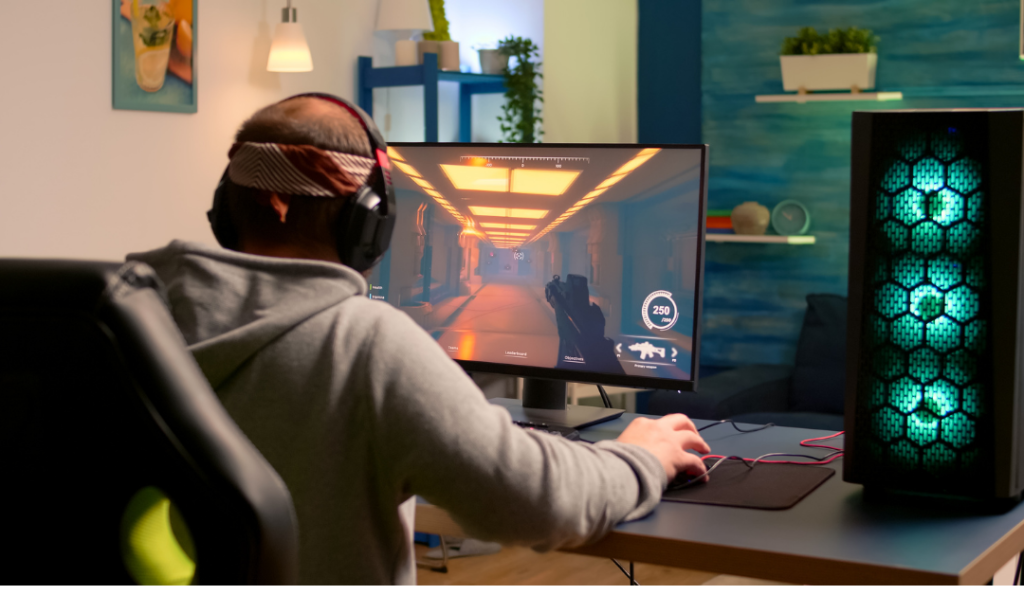
Gaming Setup Desk: How to Build the Ultimate Gaming Desk Setup
A great gaming setup desk is the single most important decision you’ll make for your battlestation — it sets the limits on everything else. Your monitors, your chair height, your cable routing, your lighting, even how long you can comfortably play all trace back to the desk underneath it all. By the end of this guide you’ll know exactly how to plan and build a gaming desk setup that fits your space, your budget, and your style, whether you’re starting from an empty corner or upgrading a setup you’ve outgrown.
This is the hub page for everything desk-related on the site. We’ll cover the fundamentals here, then point you to deeper guides on the topics you want to go further on.
Jump to: What makes a great desk · Sizes & dimensions · Types of desks · Setup ideas · Budget builds · Lighting · Minimalist setups · Accessories · Cable management · Ergonomics · FAQ
What Makes a Great Gaming Setup Desk?
Before you spend a dollar, it helps to know what actually separates a good gaming desk from a frustrating one. Run any desk you’re considering through this checklist:
- Surface area — Enough room for your monitor(s), keyboard, mouse with full swing room, and whatever else lives on your desk (drink, phone, controller). Cramped desks are the number one regret.
- Depth — At least 27–30 inches deep so your monitor can sit far enough back to be comfortable for your eyes.
- Height — Around 28–30 inches for most adults, or adjustable if you want the option to stand.
- Stability — A wobbly desk ruins fast-paced gaming. Look for a steel frame, cross-bracing, or solid legs.
- Weight capacity — Important if you’re mounting heavy monitors or clamping on a monitor arm.
- Cable management features — Built-in grommets, trays, or a clamp-friendly back edge save you hours later.
Get these right and almost everything else becomes easier.
Gaming Desk Sizes & Dimensions
The right size depends mostly on how many monitors you run and how much space you have.
Standard gaming desk dimensions
A comfortable single-monitor gaming desk is roughly 47–55 inches wide and 27–30 inches deep. That gives you room for the monitor, peripherals, and a little breathing space. Anything narrower than 40 inches starts to feel tight once you add a keyboard and mouse pad.
Desk size by monitor count
| Monitors | Recommended width | Recommended depth |
|---|---|---|
| Single (24–27″) | 47–55 in | 27–30 in |
| Dual (2 × 24–27″) | 55–63 in | 28–32 in |
| Triple / ultrawide | 63–71 in+ | 30–32 in |
If you’re planning a multi-monitor build, monitor depth matters more than people expect — stands and arms push displays forward, so deeper is almost always better. A monitor arm can claw back desk space by lifting screens off the surface entirely.
Types of Gaming Desks
There’s no single “best” shape — it depends on your room and how you play.
Standard rectangular desks are the easiest to fit, the cheapest, and the most flexible. For most people, this is the right starting point.
L-shaped and corner desks give you a huge amount of surface area and a natural split between your gaming zone and a work/streaming zone. They’re ideal if you have a corner to fill or run a lot of gear.
Standing and height-adjustable desks let you switch between sitting and standing, which is a genuine comfort upgrade during long sessions. They cost more, but motorized models have come down in price a lot.
DIY desks — a butcher-block top on adjustable legs, or an IKEA hack — can give you a premium surface for less money if you’re willing to put in a weekend of work.
Gaming Desk Setup Ideas & Layouts
Once you’ve got the desk, the fun part is the layout. There’s no wrong answer here — it comes down to the vibe you want:
- Clean / pro — neutral colors, hidden cables, minimal clutter
- Aesthetic / themed — color-coordinated peripherals, decorative shelves, plants
- Cozy — warm lighting, soft textures, a comfortable nook
- Maximalist RGB — lights everywhere, bold colors, full immersion
If you want real inspiration with photos and concrete configurations, dive into our full guide to gaming desk setup ideas — it breaks down layouts for every style and space.
Building a Setup on a Budget
You do not need to spend a fortune to build something you’re proud of. A smart approach is to spend the most on the things you touch and look at constantly — your chair, monitor, keyboard, and mouse — and save on everything else.
Rough budget tiers to aim for:
- ~$300 — A solid starter desk, a decent chair, and one good monitor with budget peripherals.
- ~$500 — Better monitor, mechanical keyboard, and room for a few accessories.
- ~$1,000 — Dual monitors or a high-refresh display, a quality chair, and a setup that looks intentional.
Want the full breakdown with specific picks at each price point? Read our complete budget gaming setup guide.
Lighting Your Setup (RGB & Ambient)
Lighting is the cheapest way to transform how a setup feels. Even a $20 LED strip behind your monitor (called bias lighting) reduces eye strain and instantly makes the whole desk look more finished.
A few quick principles:
- Bias lighting behind the monitor is the highest-impact, lowest-cost upgrade.
- Layer your light — combine behind-monitor glow, under-desk strips, and a wall element rather than one harsh source.
- Sync your ecosystem so your lights, keyboard, and mouse can change color together.
For placement tips, ecosystem comparisons (Govee vs. Nanoleaf and others), and product picks, see our RGB gaming setup guide.
Keeping It Clean: The Minimalist Approach
Not everyone wants a glowing rainbow battlestation. The “clean desk” look — neutral tones, near-zero visible cables, only what you need on the surface — has become one of the most popular aesthetics in gaming, and it’s surprisingly calming to actually use.
The core moves are hiding every cable, choosing color-matched peripherals, and resisting the urge to fill empty space. If that’s your style, our minimalist gaming setup guide walks through how to get the clean look without it feeling sterile.
Must-Have Gaming Desk Accessories
The right add-ons are what take a setup from “fine” to “dialed in.” The essentials most people end up wanting:
- A large deskmat — protects the surface, improves mouse glide, and ties the look together.
- A monitor arm — frees up desk space and lets you position screens perfectly.
- A headphone stand — gets your headset off the desk and adds a focal point.
- A cable management tray — the unsung hero of a clean build.
- A USB hub — because you will always run out of ports.
We rank the best of each category in our gaming desk accessories guide.
Cable Management Basics
Cables are what make or break the final look. A simple four-step routine handles most setups:
- Plan the path — decide where each cable needs to go before plugging anything in.
- Bundle — group cables with reusable velcro ties, not zip ties you’ll have to cut later.
- Get them off the floor — use a clamp-on tray or channel under the desk.
- Hide the brick — power strips and adapters go in the tray or on a mounted shelf, out of sight.
Spend 30 minutes here and your setup will look twice as expensive.
Ergonomics: Setting Up for Comfort
A setup that looks great but hurts to use is a failure. The basics:
- Monitor height — the top of the screen at or just below eye level, about arm’s length away.
- Desk and chair height — elbows bent around 90 degrees, forearms roughly parallel to the floor.
- Wrists — neutral and supported, not bent up or resting hard on a sharp desk edge.
- Feet — flat on the floor or on a footrest.
If you game for hours, these small adjustments matter more than any accessory.
Frequently Asked Questions
What size desk is best for a gaming setup? For a single monitor, aim for 47–55 inches wide and at least 27 inches deep. Step up to 55–63 inches for dual monitors and 63 inches or more for triple or ultrawide setups.
How much should a gaming desk cost? A reliable gaming desk runs anywhere from about $100 for a solid budget pick to $400+ for a motorized standing or L-shaped model. You can spend less with a DIY build.
Do I need a special gaming desk? Not strictly — any sturdy, appropriately sized desk works. “Gaming” desks just tend to bundle features gamers want, like cable routing, headphone hooks, and deeper surfaces.
What’s the ideal gaming desk height? Around 28–30 inches suits most adults seated. If you’re taller, shorter, or want to stand, a height-adjustable desk removes the guesswork.
Is an L-shaped desk good for gaming? Yes, especially if you have a corner to fill or want a separate zone for streaming or work. It offers far more surface area than a standard desk.
Where to Go Next
You now have the full framework for building a gaming setup desk. The logical next step depends on your priority:
- Looking for inspiration? Start with gaming desk setup ideas.
- Watching your wallet? Go to the budget gaming setup guide.
- Want it to glow? See RGB gaming setups.
- Prefer it clean? Read about minimalist gaming setups.
- Ready to upgrade? Browse the best gaming desk accessories.
Build the foundation right, and everything you add on top just makes it better.